
Security & Privacy Basics
What you need to know to use AI responsibly — protect your data and your organization.
INFO
- Time: ~15 minutes
- Difficulty: Beginner
- What you'll learn: Responsible AI usage for work and sensitive data
This Page Covers
- What Happens to Your Data - How AI providers handle your inputs
- Rules for Work Use - What never to paste, what to be careful with
- AI Provider Comparison - Privacy differences between ChatGPT and Claude
- Company Policies - Checking and following organizational guidelines
What Happens to Your Data
When you use AI, your inputs travel through the provider's servers. Understanding this helps you make informed decisions about what to share.
The Basic Reality
| What Happens | Details |
|---|---|
| Data leaves your device | Your prompts go to the AI provider's servers |
| May be used for training | Some plans use your data to improve models (opt-out often available) |
| Stored temporarily | Conversations may be retained for abuse monitoring |
| Employees may review | Safety teams may review flagged conversations |
Not Truly Private
Even "private" AI conversations:
- Travel through the provider's infrastructure
- May be logged for security/abuse monitoring
- Could potentially be accessed via legal process
- Are subject to the provider's data policies
The mental model: Treat AI conversations like email to a trusted colleague - probably private, but not guaranteed.
Rules for Work Use
Never Paste
Absolute No-Gos
These should never go into AI, regardless of the situation:
| Category | Examples |
|---|---|
| Credentials | Passwords, API keys, tokens, SSH keys |
| Financial accounts | Bank account numbers, credit card numbers |
| Government IDs | Social security numbers, passport numbers |
| Health records | Medical diagnoses, treatment information |
| Legal documents | Active litigation details, settlement terms |
Be Careful With
These require judgment. Consider whether sharing is appropriate for your situation:
| Category | Risk | Consider |
|---|---|---|
| Customer data | Privacy violations, trust damage | Can you anonymize it? |
| Financial details | Competitive intelligence, insider info | Is it public or confidential? |
| Strategic plans | Competitive leakage | Would a competitor find this valuable? |
| Employee info | Privacy, HR concerns | Do they know you're sharing this? |
| Proprietary code | IP concerns | What does your company policy say? |
When in Doubt, Anonymize
If you need to use AI with sensitive content, sanitize it first.
Before:
John Smith at Acme Corp (john.smith@acme.com) owes us $47,500 from Invoice #12345. His phone is 555-0123.After:
[Customer A] at [Company X] owes us [amount] from [Invoice]. Contact info: [phone].What to remove:
- Real names → [Name], [Customer A], [Employee 1]
- Company names → [Company X], [Vendor Y]
- Contact info → [email], [phone], [address]
- Specific numbers → [amount], [date], [account number]
You can still get useful AI assistance with anonymized data.
Check Your Company Policy
Many organizations now have AI usage policies. Before using AI for work:
Questions to Ask
Does your company have an AI usage policy?
- Check your employee handbook or intranet
- Ask IT, legal, or your manager
What data are you allowed to use with AI?
- Some companies prohibit any customer data
- Others allow anonymized data only
- Some have approved tools with specific guardrails
Are there approved AI tools?
- Your company may have enterprise agreements with specific providers
- These often include better privacy protections
- Using approved tools protects both you and the company
Do you need to document AI use?
- Some roles require disclosure of AI assistance
- Academic and legal contexts may have specific rules
When There's No Policy
If your company doesn't have an AI policy yet:
- Use common sense about confidential information
- Ask your manager about sensitive use cases
- Document significant AI-assisted work
- Err on the side of caution with client/customer data
AI Provider Comparison
Both ChatGPT and Claude now train on user data by default, but both allow you to opt out. Here's the current comparison:
| Feature | ChatGPT Free | ChatGPT Plus | Claude Free | Claude Pro |
|---|---|---|---|---|
| Training on your data | Yes (opt-out available) | Yes (opt-out available) | Yes (opt-out available) | Yes (opt-out available) |
| File uploads | Limited | Yes | Yes | Yes |
| Context length | Smaller | Larger | Large | Large |
| Data retention | 30 days | 30 days | 30 days (5 years if training enabled) | 30 days (5 years if training enabled) |
| Best for | Casual personal use | Power users | General use | Heavy professional use |
| Monthly cost | Free | ~$20/month | Free | ~$20/month |
Key Privacy Differences
ChatGPT (OpenAI):
- All consumer tiers use your data for training by default
- All users (including free) can opt out in Data Controls settings
- Team/Enterprise plans don't train on your data
Claude (Anthropic):
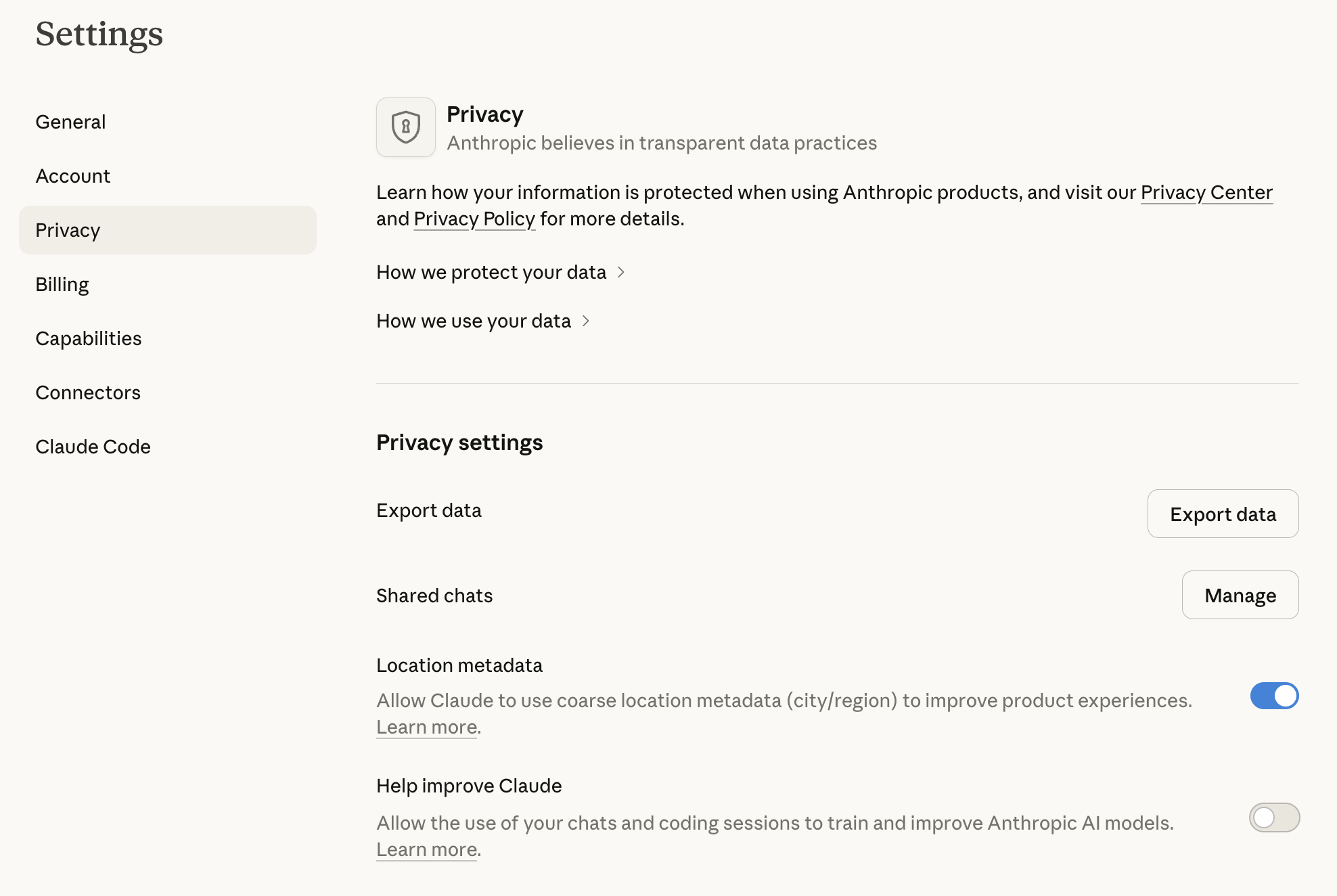
- All consumer tiers (Free, Pro, Max) use your data for training by default (since Sept 2025)
- All users can opt out in Privacy Settings
- Opting out reduces data retention from 5 years to 30 days
- Business/Enterprise plans and API don't train on your data
Recommendation for Work Use
If privacy matters for your work, opt out of training in both tools. For enterprise use, both providers offer team/business plans that don't use your data for training.
How to Opt Out of Training
ChatGPT:
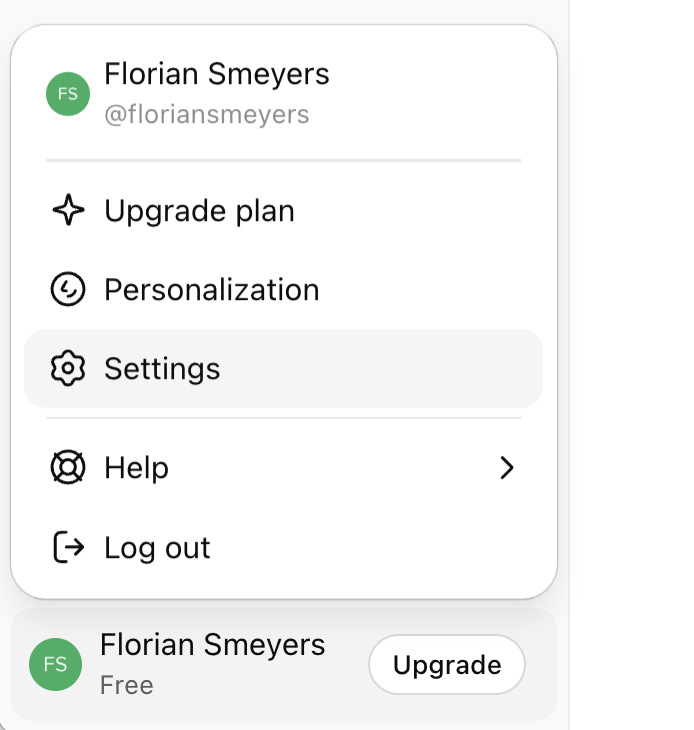
- Click your profile icon (bottom-left) → Settings
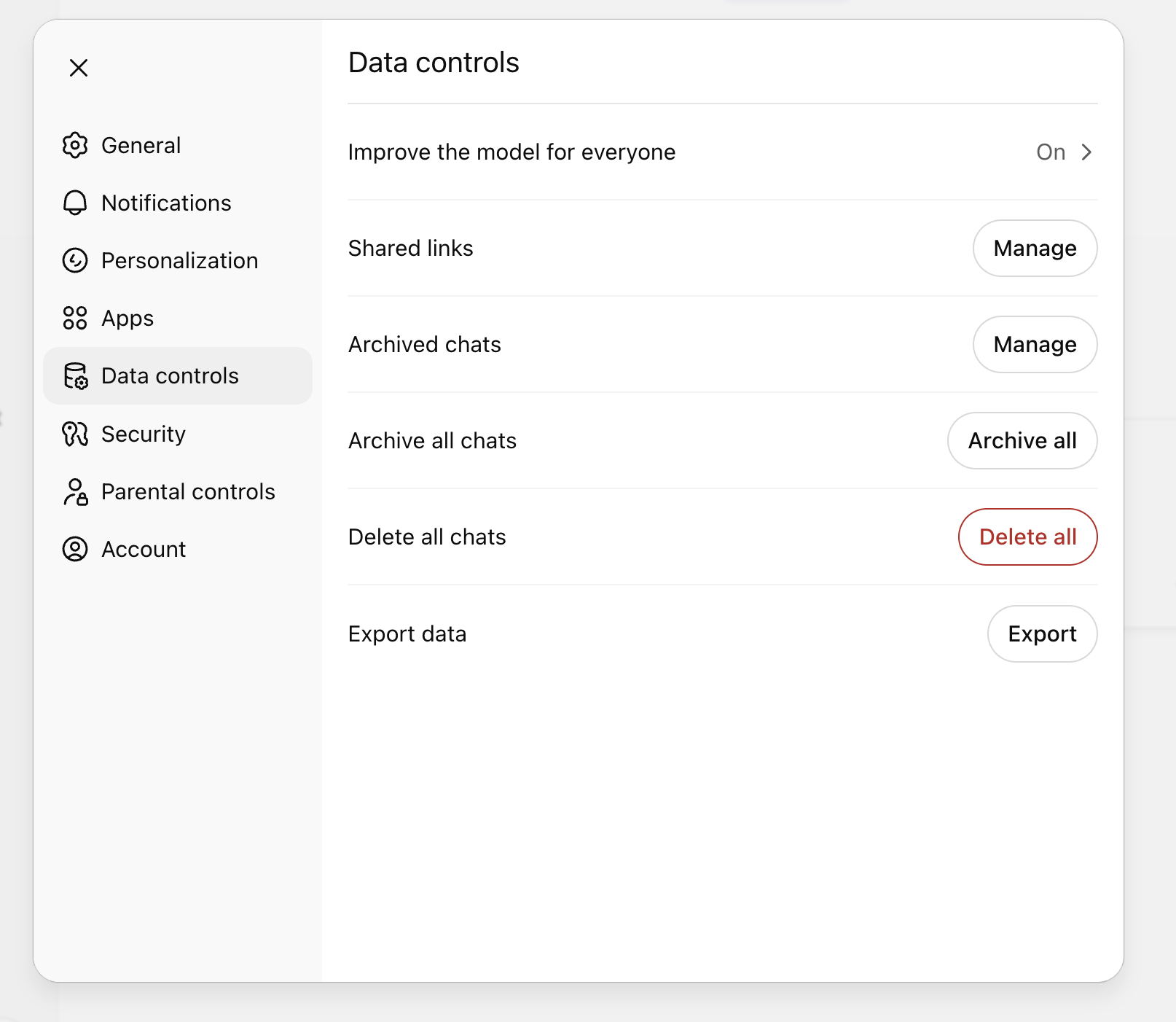
- Go to "Data controls"
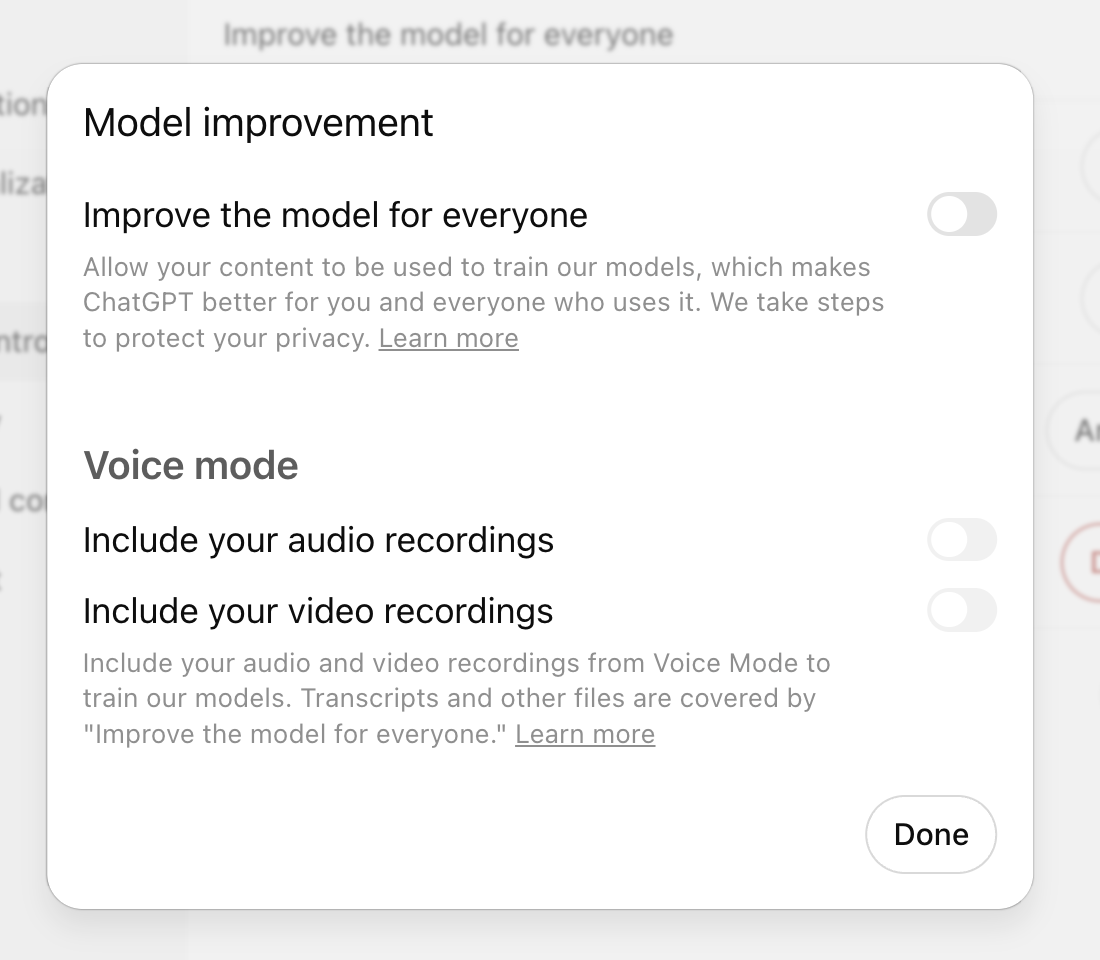
- Toggle "Improve the model for everyone" off
Claude:
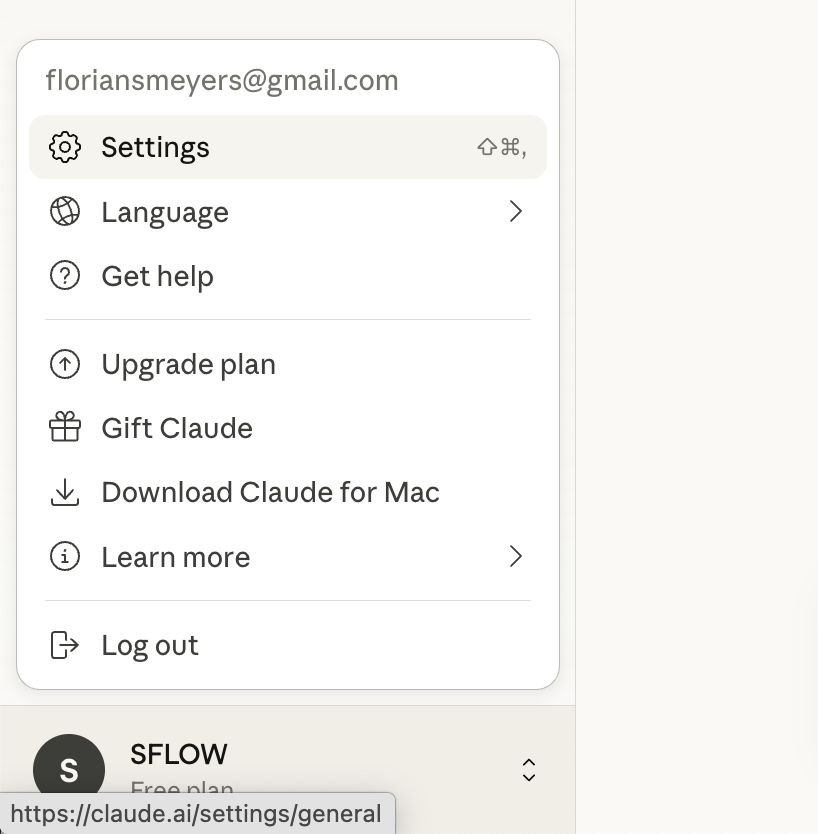
- Go to Settings (click your name/email at bottom-left) → Privacy
- Find "Model Training" or "Model Improvement"
- Toggle it off
Data Still Leaves Your Device
Even with training disabled, your data still passes through their servers. For truly sensitive information, consider whether AI is the right tool at all.
Key Takeaways
- Data leaves your device - AI conversations travel through provider servers; treat them accordingly
- Never paste credentials or PII - Passwords, API keys, SSNs, and similar data should never go into AI
- Anonymize when needed - Replace real names, companies, and numbers with placeholders
- Check your company policy - Many organizations have AI usage guidelines; follow them
- Opt out of training - Both ChatGPT and Claude train on your data by default; opt out in settings if privacy matters
- When in doubt, don't paste it - If you'd worry about a data breach exposing it, don't share it with AI