
Planning Train Journeys in Belgium Using Natural Language
What if you could plan your train journeys in Belgium using natural language?
You're going on a customer visit tomorrow and you need to check the trains, look up the location, send an email... That's multiple tools you need to interact with, copy or remember information, etc.
What if you could just do this all from one location?
Let's step into the imaginary story of an account manager, Ms. Henrard, who has planned a customer visit tomorrow at Flemish Textiles Group. Before we start, we connected the following tools to our AI client:
- Server for real-time Belgian rail times
- Our CRM with client and order information
- The World Wide Web (standard tool)
This list could be much longer, but for simplicity we constrained ourselves to these. For this we use MCP servers (Model Context Protocol).
The Conversation
Finding trains and customer details
We start with a simple question: we need trains for a client visit. The AI is a bit conservative in timing, but that's not a big issue as we can ask follow-up questions.
You can also see the AI thinking ahead, already fetching the customer details from the CRM. Although it's called "Flemish Textiles Group", it correctly finds the closest match.

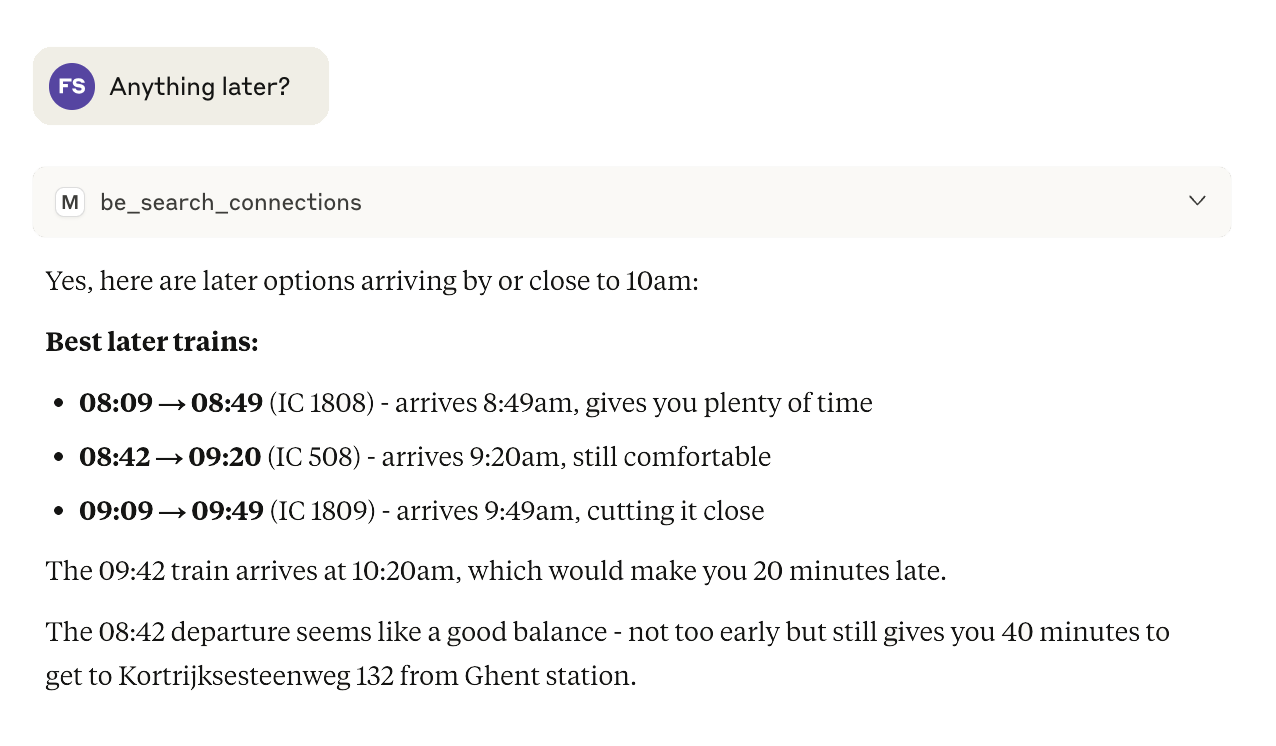
Getting later options
As the initial suggestions were a bit early, we ask a follow-up question to get some later trains.
Drafting a personal email
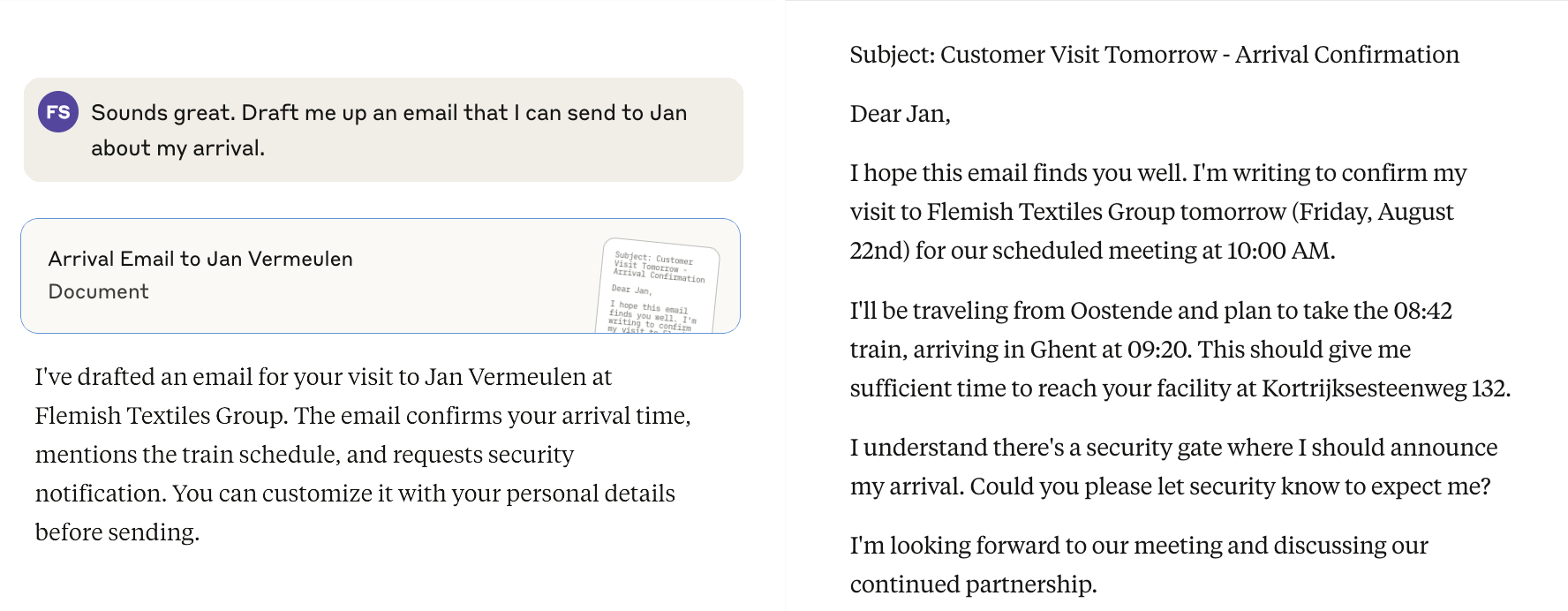
You could stop here, but let's use this information to take us further. Since it also knows the customer details from the CRM, we can create a very personal email. You could follow-up and ask for edits if you'd like.
If we had connected an email tool, we would be able to send the email directly. For demonstration purposes we didn't.
Finding nearby customers
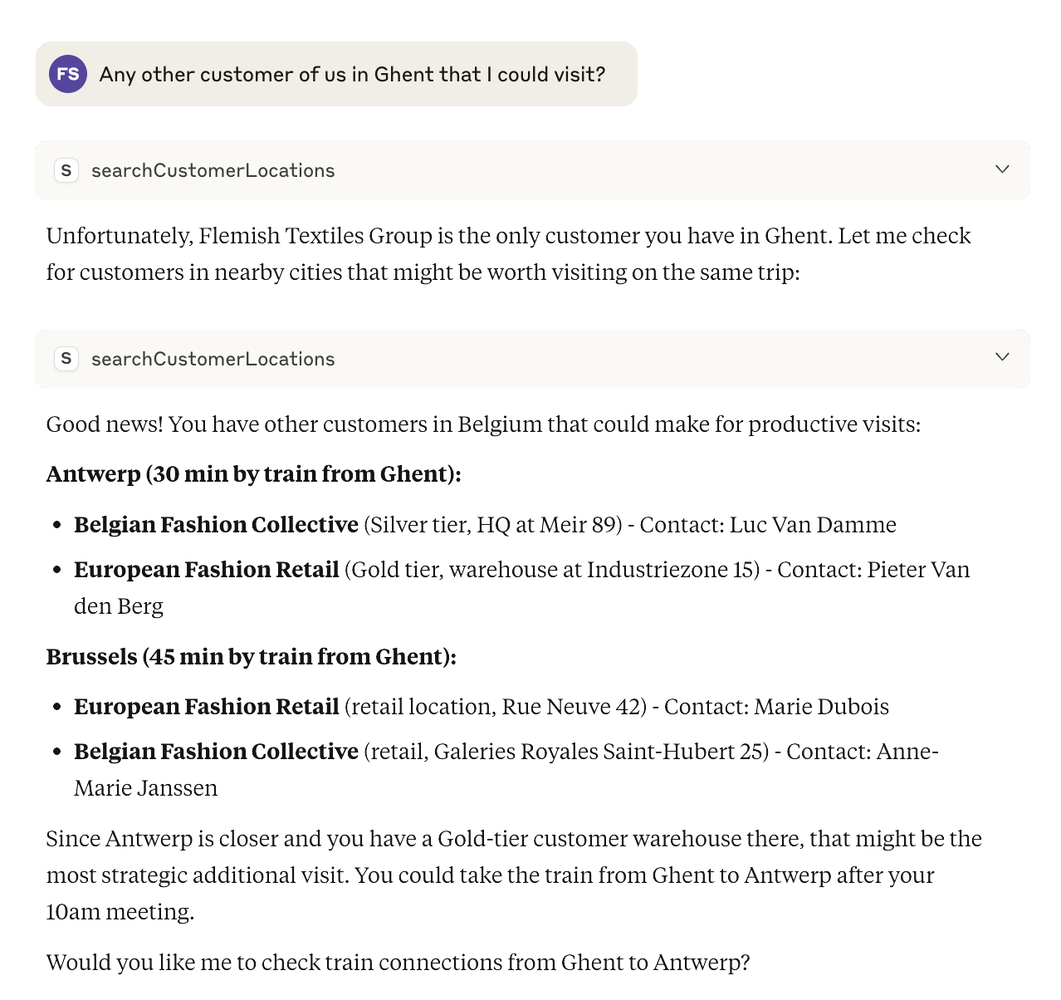
As with every client visit, it might be interesting to visit some clients in the neighborhood. Let's check on that. Here we use the combined knowledge of the AI, enriched with information from the CRM.
Unfortunately there are no other customer locations in Ghent, so that search stops here. You could ask the LLM to check on next trains, taking it further if you'd like.
Researching the customer
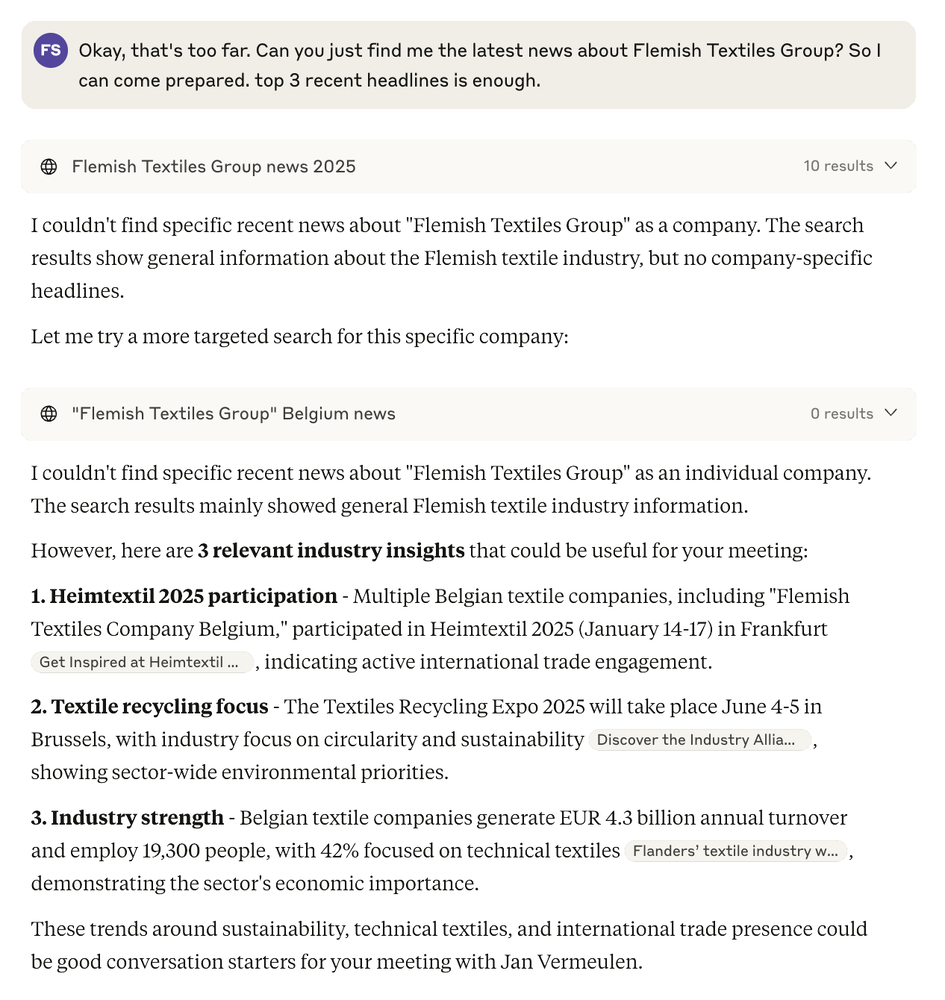
And lastly, let's check in on some news about Flemish Textiles Group so we arrive prepared. Here we use the web-tool functionality to search for interesting articles.
As expected, there's not much to find about an imaginary company, but that doesn't stop the AI from finding some general industry news to open the conversation. You could click on the links to get more info or ask the AI to fetch and summarize them.
The Possibilities
As you can see, the possibilities are broad, and the greatest thing of all is that you are not bound to one system or AI like many other AIs in the wild (Copilot, ...). The tools act as the glue between your existing systems and the outside world, and they can turn hours of prep into minutes of guided work.
Technical Overview
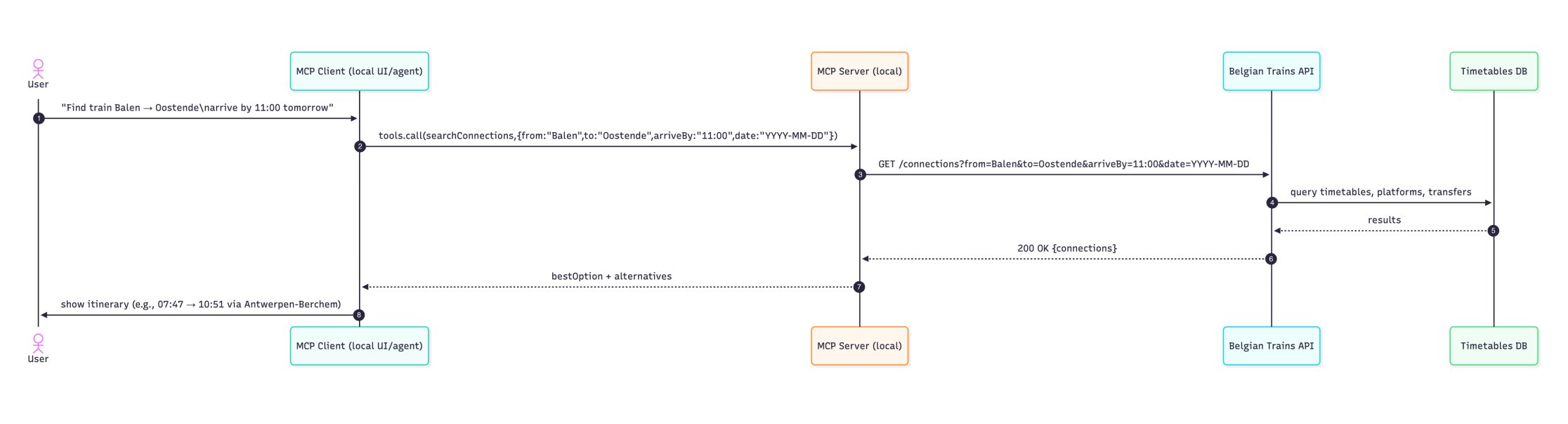
Below is a high-level diagram explaining what happens in the background. From our local MCP client we call tools, which can (or cannot) call external APIs, etc. Every tool call can be permissioned and logged, so usage stays auditable.
For the demo above we used the Claude Desktop Client, but you can also use open-source models or your own API key with tools like jan.ai.
CRM Data
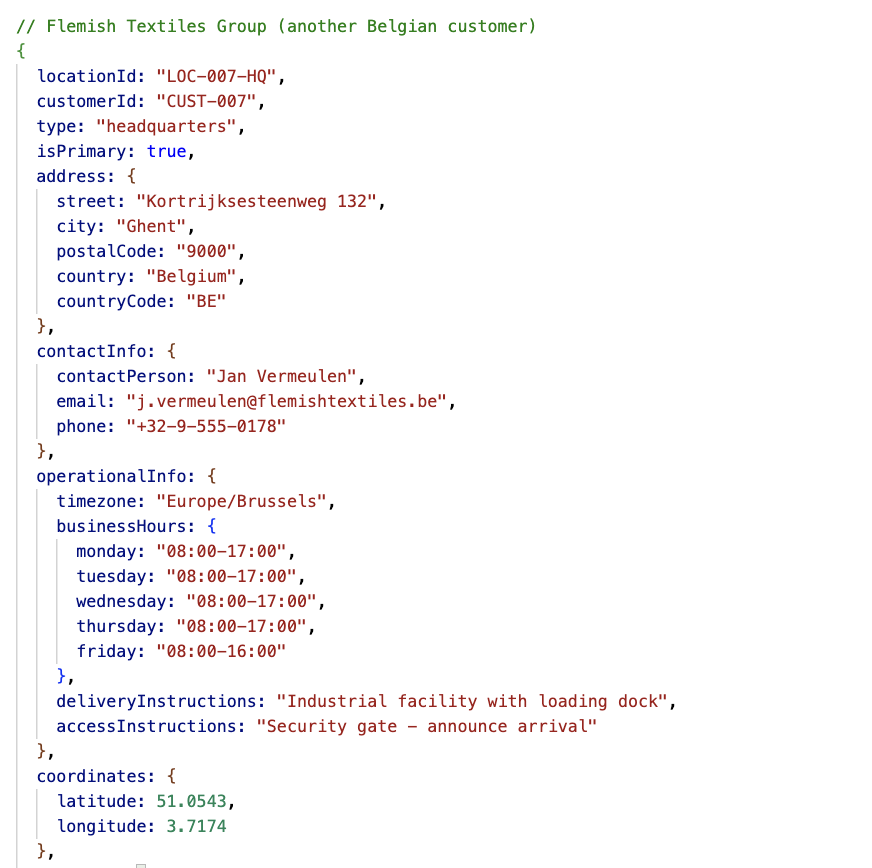
A database extract of our CRM showing what gets sent back to the AI. You can choose what each tool exposes, keeping clear control over what people can see and use.
Try It Yourself
You can set up the same tooling using:
- Claude Desktop Client
- MCP server for Belgian Rail
- MCP server to connect to a CRM (custom built)
Security Note
You can also use a local model so no customer data ever leaves your network/computer. For regulated contexts, add role-based access, data minimization, and logging so governance is built-in from day one.
Be cautious with online MCP servers and always check them before installing or using. Although the technology is very promising, the security landscape is still maturing.